
If you need to add new digital assets (photos, floorplans, logos and videos) look for the "UPLOAD" button on the MEDIA page.
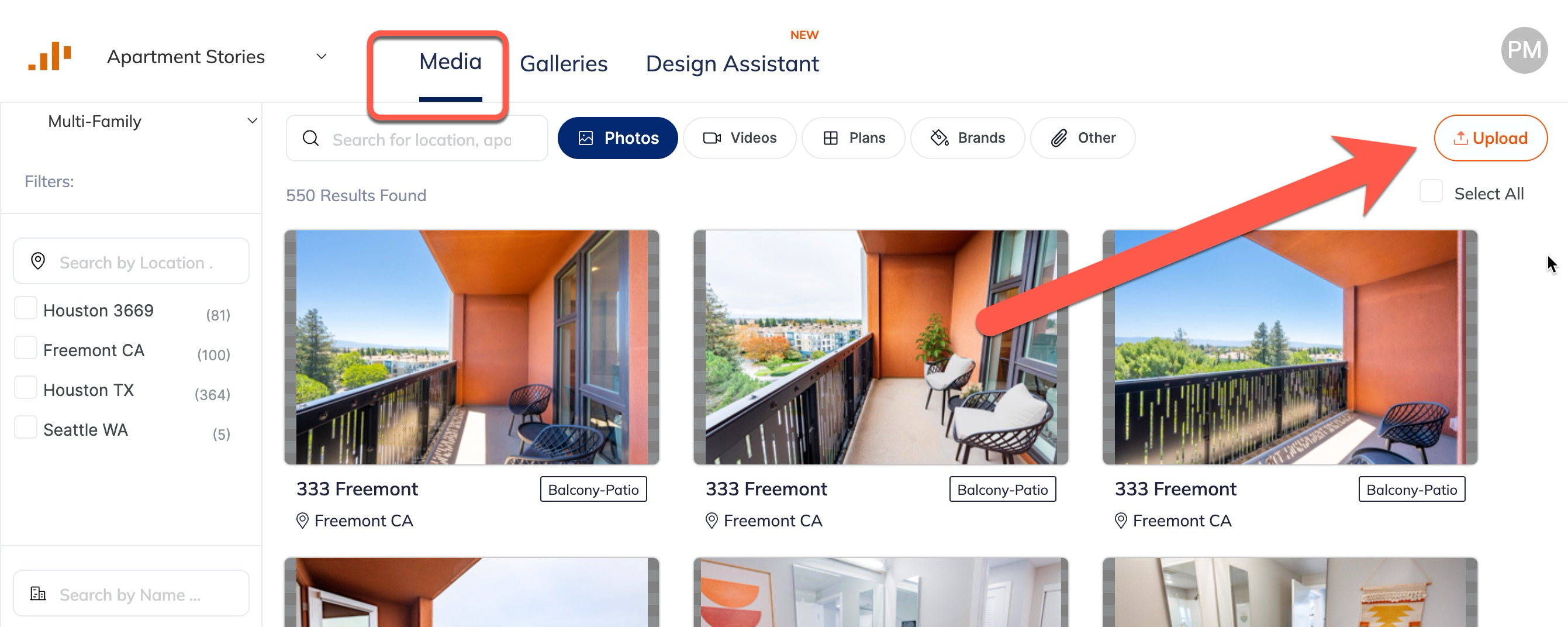
After clicking upload you will see a page like this:
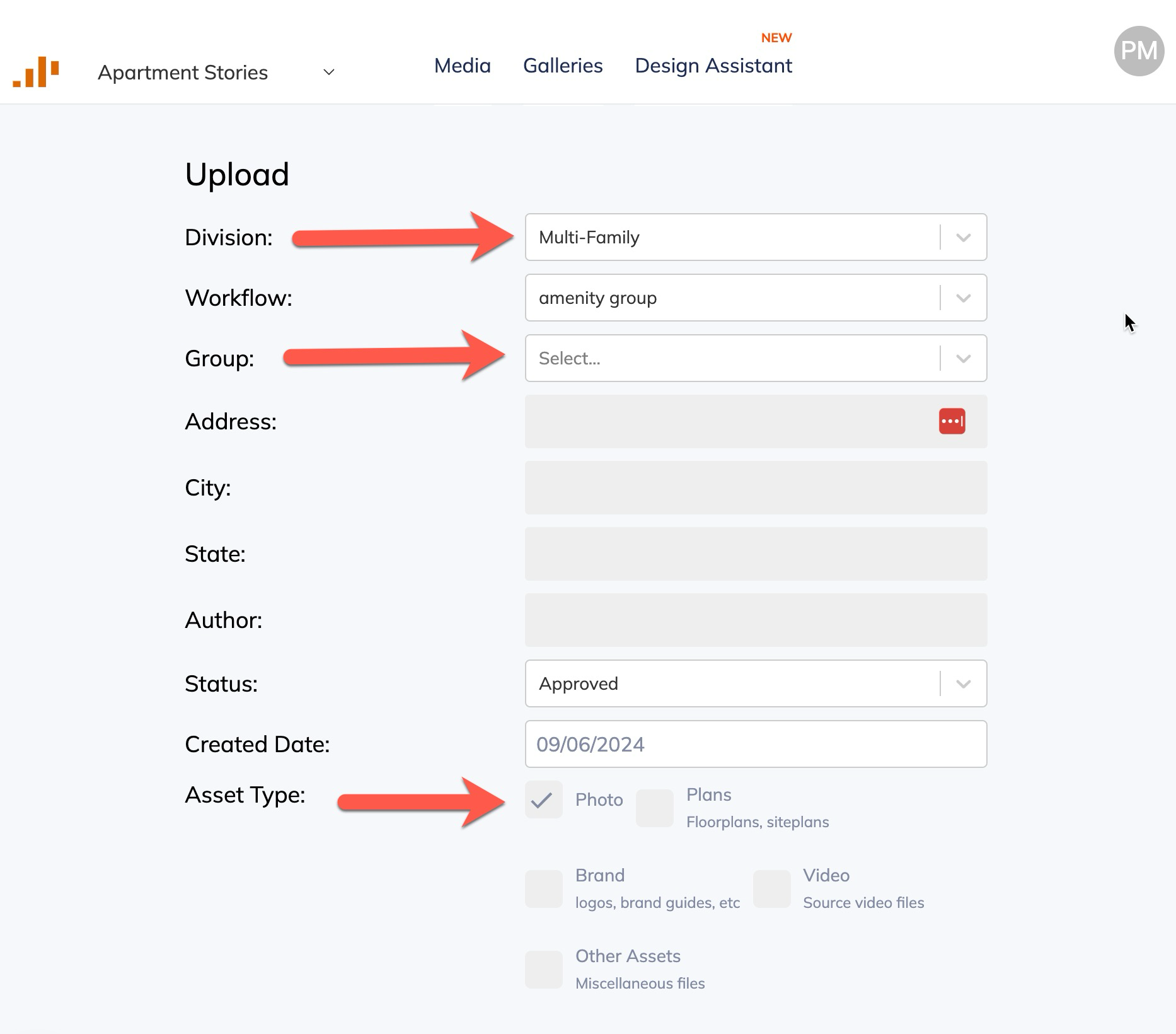
Make sure Division = Multi-Family.
And Group = Apartment Community.
Then you can click the Upload Files button.
You can upload up to 100 files at a time.
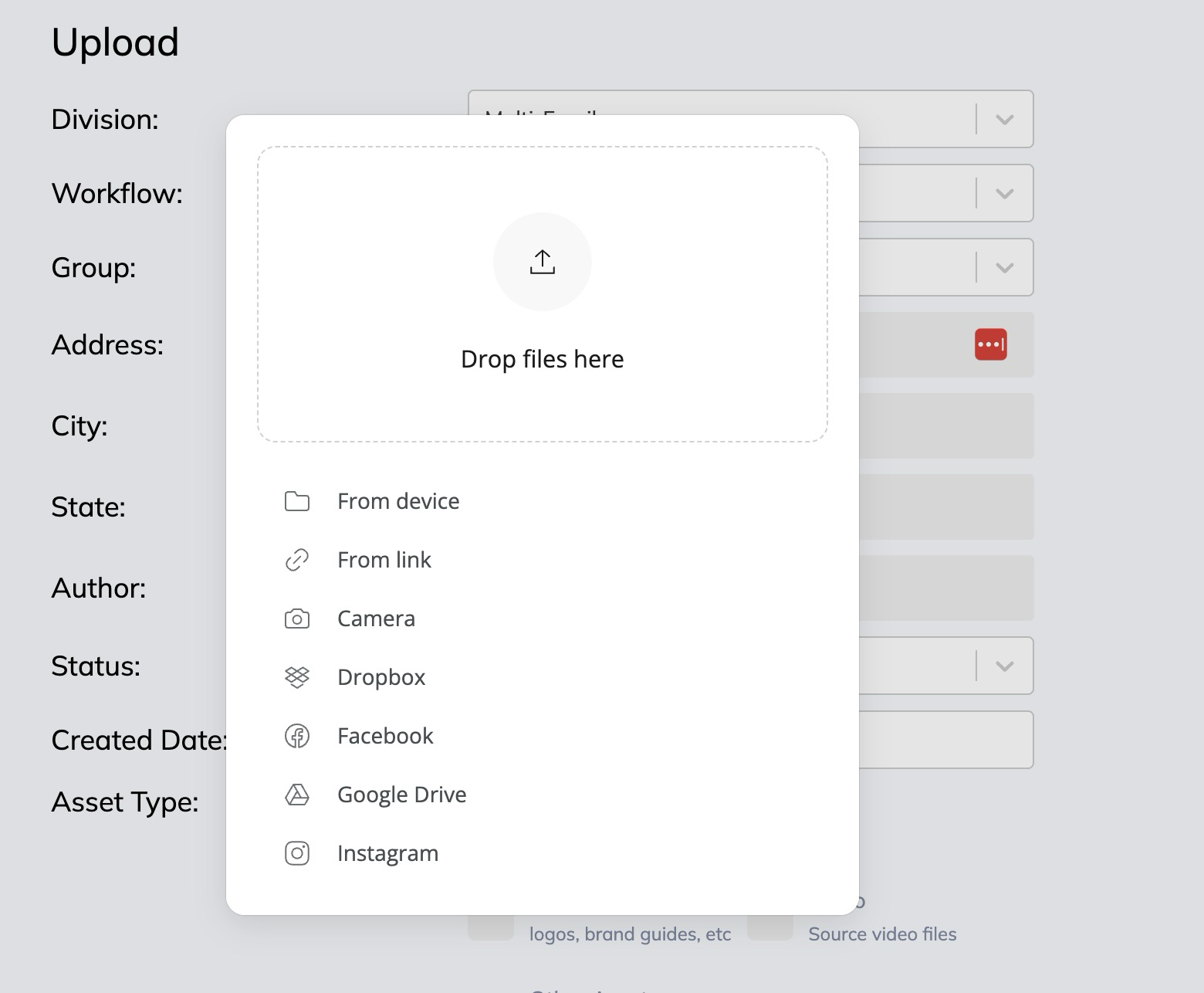
After files are uploaded, it takes 3-5 minutes for them to show up on the MEDIA tab.
The end.